
- RPA services design, build and maintain software bots that carry out repetitive tasks in your systems by copying what a person does on screen.
- RPA is best for high volume, rule based work in systems without APIs. For modern cloud apps, API workflows or intelligent automation are usually cheaper and more reliable.
- A good provider starts with an assessment, picks the right mix of RPA, workflows and AI, and includes monitoring and maintenance.
Robotic process automation services help businesses hand repetitive computer work to software bots. This guide explains what RPA services include, when RPA is the right choice, what it costs and how it fits alongside AI and modern IT process automation.
What is robotic process automation?
Robotic process automation (RPA) uses software robots to interact with applications the way a person would: clicking buttons, typing into fields, copying data between screens and reading simple documents. Because it works through the user interface, RPA can automate older desktop and web systems that have no API. Leading platforms include UiPath, Automation Anywhere and Microsoft Power Automate.
What RPA services include
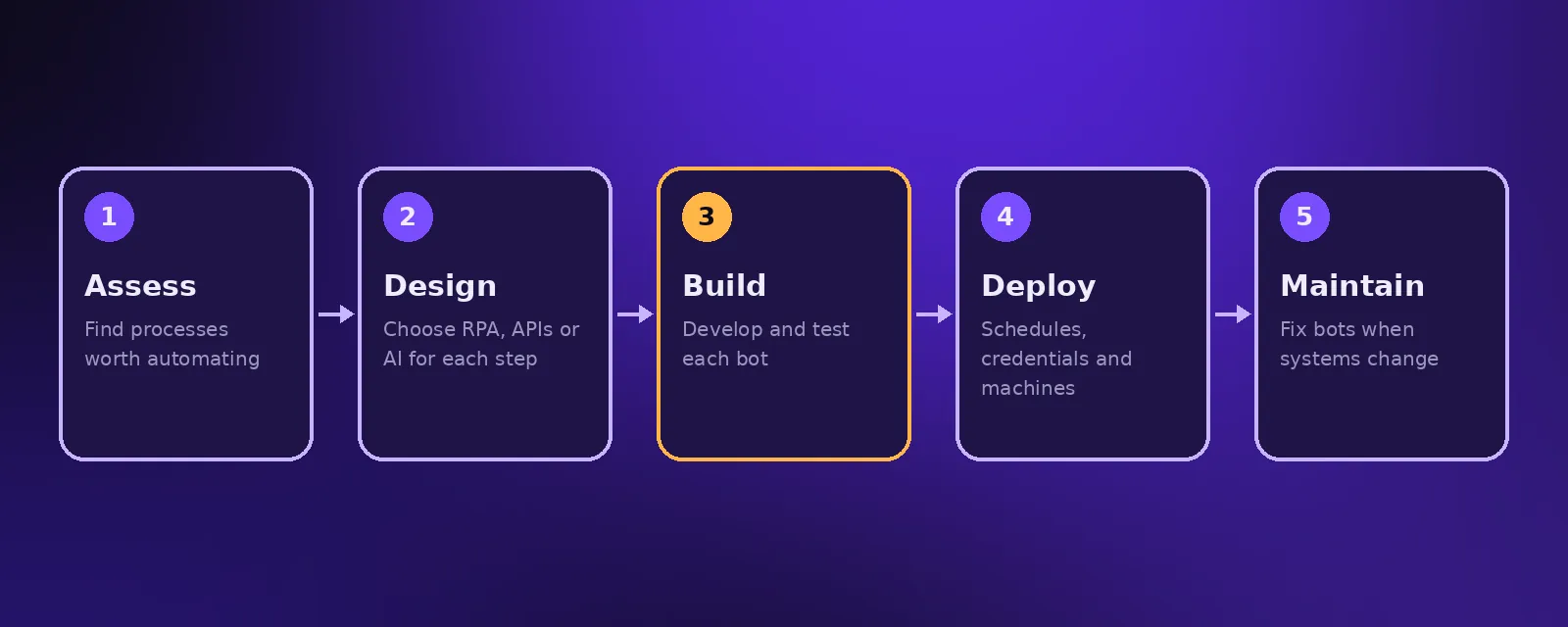
- Process assessment. Mapping candidate processes and estimating the hours each would save.
- Solution design. Choosing between RPA, API workflows and AI for each step.
- Bot development. Building, testing and documenting each bot.
- Deployment. Setting up schedules, credentials and the machines bots run on.
- Monitoring and maintenance. Fixing bots when screens or systems change, which is the biggest ongoing cost of RPA.
When RPA is the right choice
- The system has no API or the API does not expose what you need.
- The task follows clear rules with structured inputs.
- It runs often enough that saved hours outweigh build and maintenance cost.
- The screens involved rarely change.
If those conditions are not met, consider an API workflow with tools like n8n or Make, or intelligent automation that adds AI for messy inputs. We compare the approaches in RPA vs intelligent automation vs hyperautomation.
Common RPA use cases
- Moving data between a legacy system and a cloud app.
- Processing invoices and purchase orders in accounting software.
- Updating records across several internal portals.
- Downloading reports from websites and combining them.
- IT process automation such as account set up and password resets.
RPA, IT process automation and AI
Modern projects rarely use RPA alone. AI reads unstructured documents and emails, workflows handle anything with an API, and RPA covers the leftover screens. This combination, often called intelligent automation, is more resilient than a bot that copies every click. See business process automation.
How much do RPA services cost?
Costs include platform licences, development and ongoing maintenance. Enterprise RPA licences can be significant, while lighter tools cost far less. At Acceltor we often replace RPA with API workflows where possible, starting from $1,490 with a fixed quote. See workflow automation.
Frequently asked questions
What are RPA services?
RPA services are the design, development, deployment and maintenance of software bots that automate repetitive, rule based tasks by working through application interfaces.
What is the difference between RPA and workflow automation?
RPA works through the screen like a person. Workflow automation connects apps through their APIs. APIs are faster and more reliable, so RPA is best kept for systems without them.
Is RPA still relevant with AI?
Yes, for systems without APIs. AI now handles the judgement and unstructured inputs, while RPA carries out fixed steps in older software.
How long does an RPA project take?
A single bot for a clear process can take one to three weeks. Larger programmes covering several processes take longer, including assessment and testing.

Founder and CEO of Acceltor. Talha leads a team of engineers and designers building AI agents, automations, websites and apps for growing businesses.
Meet the team →