
- Automation software ranges from simple app connectors and workflow builders to RPA platforms, AI agent platforms and the automation built into your CRM.
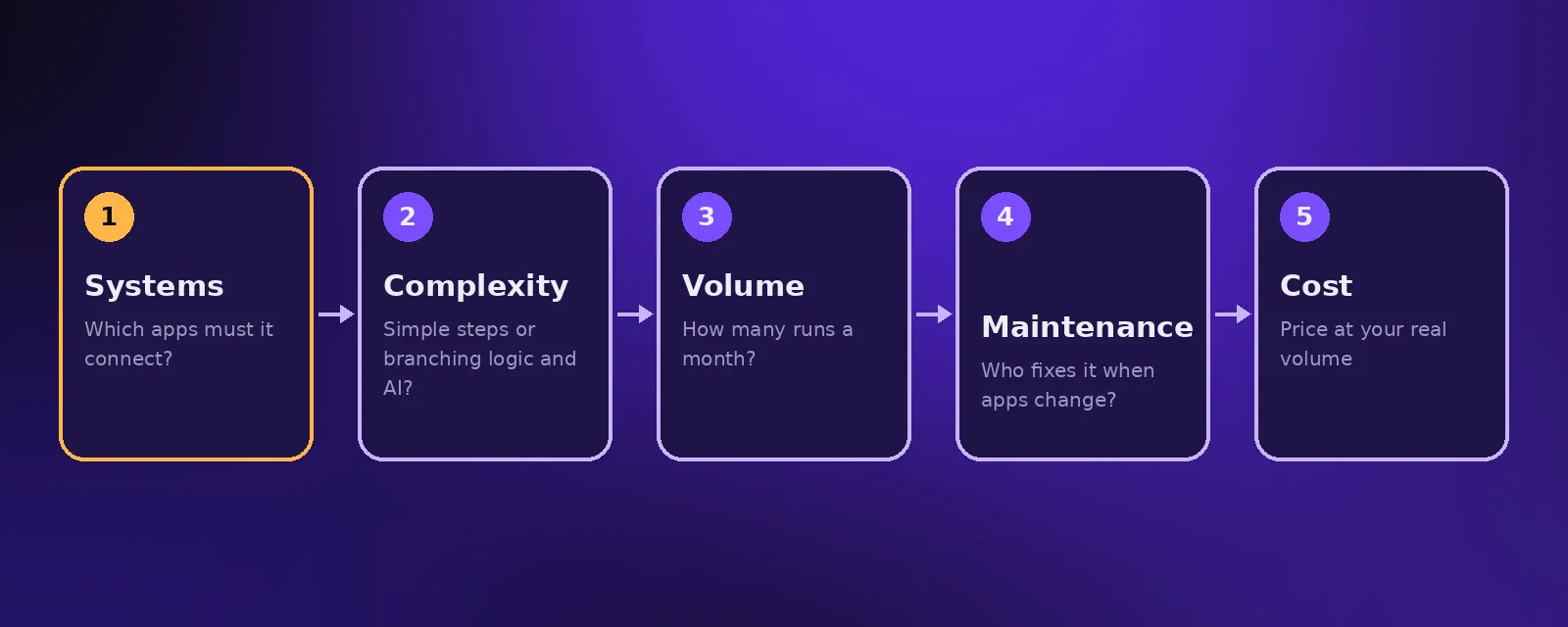
- Choose by what you need to connect, how complex the logic is, how often it runs, who will maintain it and what it costs at your volume.
- Most businesses end up with a small stack: one workflow builder, the automation inside their CRM and one or two AI agents.
There are hundreds of automation tools, and most of them look the same on their homepage. This guide sorts business process automation tools into clear categories, explains what each is good at and gives you a simple way to choose.
The main types of automation software
Workflow builders
Visual tools where you connect a trigger to a series of actions across your apps. Zapier is the easiest to start with, Make handles more complex scenarios at a lower cost per step, and n8n can be self hosted and is popular for AI workflows. Microsoft Power Automate fits teams already on Microsoft 365.
RPA platforms
Robotic process automation tools such as UiPath and Automation Anywhere control software through its user interface, which is useful for older systems with no API. Lighter options like UI.Vision RPA work in the browser.
AI agent platforms
Tools for building agents that understand language and take actions, such as voice platforms for AI receptionists and frameworks for chat and document agents. See how to build AI agents.
Automation built into your software
CRMs like HubSpot, GoHighLevel and Pipedrive, help desks and accounting tools all include their own automation. Use it first for anything that lives entirely inside one system.
Custom code
When volume is high or logic is unusual, a small custom service in Python or Node.js can be cheaper and more reliable than any tool. See AI Python development.
How to choose a workflow builder
- Integrations. Check that every app you use has a reliable connector or an API.
- Logic. Branches, loops, error handling and AI steps matter more than the number of templates.
- Pricing at your volume. Some tools charge per task or per step, which adds up fast. Estimate your monthly runs before you commit.
- Data and hosting. If you handle sensitive data, a self hosted option or regional data storage may be required.
- Maintenance. Who will fix it when an app changes? Pick a tool your team or your agency can support.
We compare the leading options in detail in the best AI workflow automation tools and process automation software.
A typical small business automation stack
- A CRM with its built in sequences for sales follow up.
- One workflow builder connecting the CRM, website forms, accounting and project tools.
- An AI chat or voice agent for customer enquiries. See AI chat agents.
- Error alerts sent to Slack or email so nothing fails silently.
Frequently asked questions
What is automation software?
Automation software is any tool that carries out tasks automatically, from connecting apps and moving data to controlling interfaces, running AI agents and sending scheduled messages.
What is the best workflow builder?
Zapier is easiest to start with, Make offers more control for the money, and n8n is best when you want self hosting or advanced AI workflows. The right one depends on your apps, volume and who maintains it.
What are business process automation tools?
They are tools that automate multi step business processes such as onboarding, order handling, approvals and invoicing, usually by connecting several apps and adding rules and AI.
Do I need RPA?
Only if you must automate software that has no API. For modern cloud apps, a workflow builder is usually simpler, cheaper and more reliable.

Founder and CEO of Acceltor. Talha leads a team of engineers and designers building AI agents, automations, websites and apps for growing businesses.
Meet the team →