
- UI.Vision RPA is an open source browser extension for automating web tasks, with optional add ons that extend it to desktop automation using image recognition and OCR.
- It works well for automating repetitive browser tasks on websites that have no API, such as filling forms, scraping data and testing pages.
- For connecting modern business apps, API based workflow tools such as n8n and Make are usually more reliable and easier to maintain.
UI.Vision RPA is a popular free tool for automating repetitive work in the browser. It is a good example of robotic process automation: software that copies what a person would do on screen. This guide explains what UI.Vision RPA is, how it works, when it is a good choice and when another type of automation will serve your business better.
What is UI.Vision RPA?
UI.Vision RPA is an open source automation tool that runs as an extension in browsers such as Chrome, Firefox and Edge. You record or write a macro, a list of commands such as open a page, type into a field and click a button, and the tool repeats it whenever you run it. Optional add ons extend it beyond the browser so it can work with desktop applications, using image recognition to find elements on screen and OCR to read text.
How UI.Vision RPA works
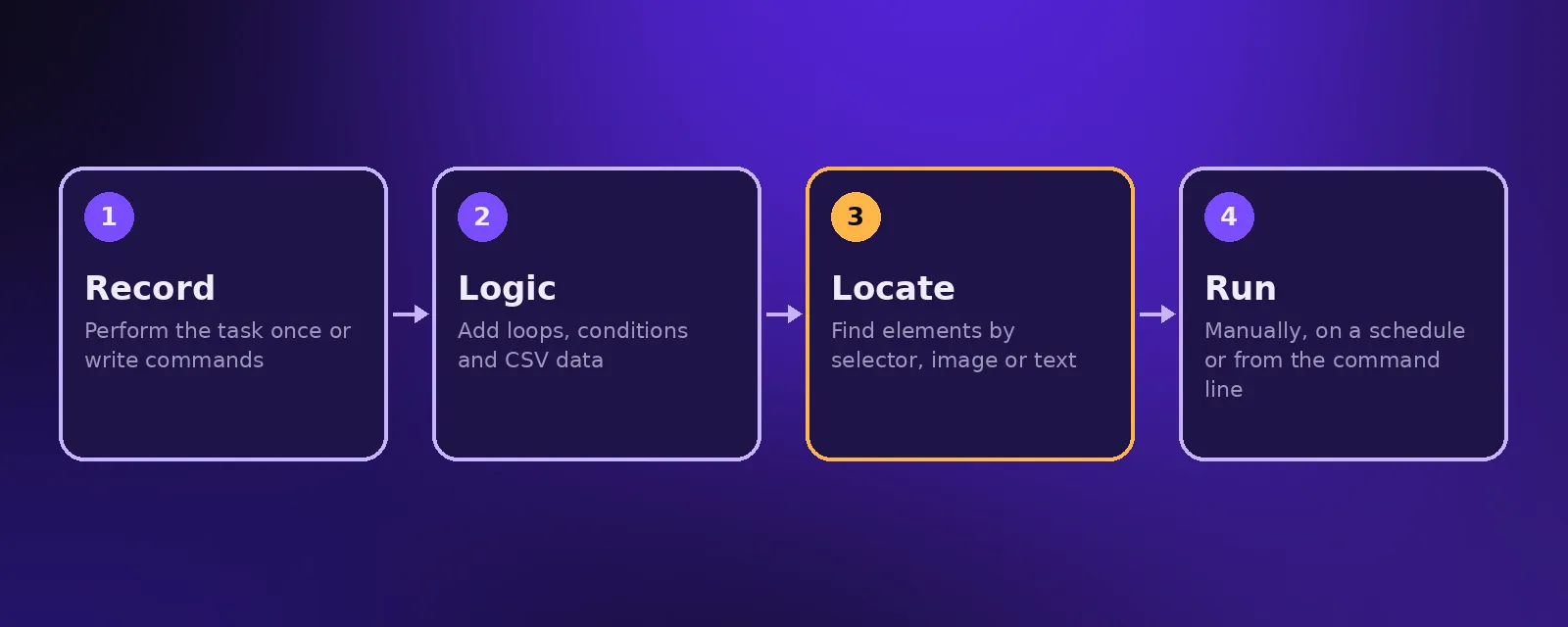
- Record or write a macro by performing the task once or adding commands.
- Add logic such as loops, conditions and data from CSV files.
- Locate elements using page selectors, or images and text for visual automation.
- Run it manually, on a schedule or from the command line.
Common uses
- Filling in the same web forms repeatedly with data from a spreadsheet.
- Collecting data from websites that offer no export or API.
- Automated testing of web pages and checkouts.
- Automating tasks in older internal web systems.
Strengths and limits
Strengths
- Free and open source, with a large community.
- Works on websites and older systems that have no API.
- Visual automation can handle applications that are hard to automate any other way.
Limits
- Screen based automation breaks when page layouts or designs change.
- It runs where the browser or machine runs, which makes reliable scheduling harder.
- It cannot understand free text emails or conversations on its own.
UI.Vision RPA vs API based workflow automation
If the apps you use have APIs, as most modern CRMs, stores, inboxes and accounting tools do, workflow platforms such as n8n, Make and Zapier connect them directly. That is usually faster, more reliable and easier to maintain than clicking through screens. Keep RPA for the systems with no other way in, and add AI for steps that need reading or judgement. Learn more in RPA vs intelligent automation.
Need RPA or automation services?
Acceltor builds API based automations and AI agents for growing businesses, and recommends RPA only where it is the right tool. See workflow automation.
Frequently asked questions
What is UI.Vision RPA?
UI.Vision RPA is an open source browser extension for automating web tasks, with add ons for desktop automation using image recognition and OCR.
Is UI.Vision RPA free?
The core UI.Vision RPA extension is free and open source. Some desktop automation add ons have paid options.
When should I use RPA instead of API automation?
Use RPA when a system has no API or integration. When APIs exist, API based workflow automation is usually more reliable.
Can UI.Vision RPA use AI?
It uses image recognition and OCR to find and read elements on screen, but understanding emails or conversations needs AI tools added to the workflow.

Founder and CEO of Acceltor. Talha leads a team of engineers and designers building AI agents, automations, websites and apps for growing businesses.
Meet the team →