
- Business process automation (BPA) uses software to run repeatable business tasks automatically, such as moving leads into a CRM, creating invoices or onboarding clients.
- The best processes to automate first are frequent, rule based and currently done by copying information between systems.
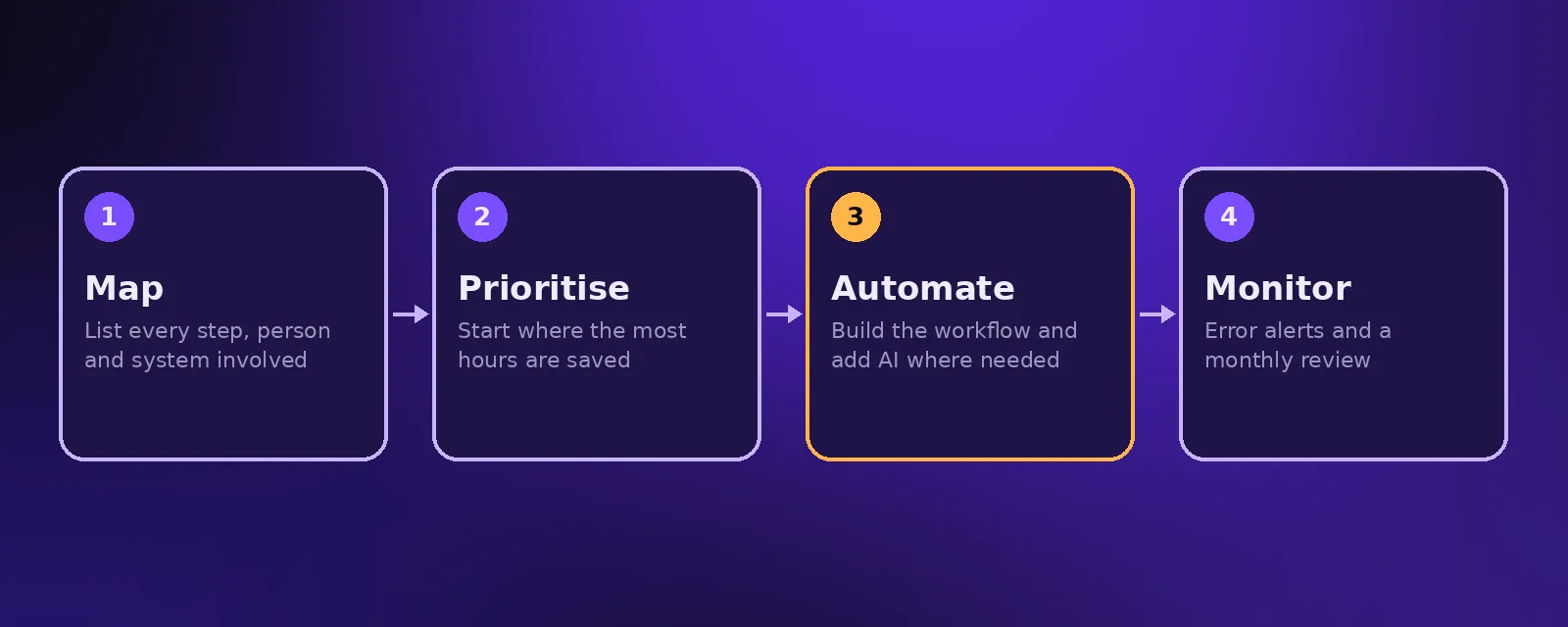
- Map the process, prioritise by time saved, automate with a tool like n8n, Make or Zapier, and monitor it with error alerts.
Every business has work that happens the same way every time: a form comes in, someone copies it into a spreadsheet, sends an email, creates a task and updates a report. Business process automation takes those steps off your team's plate. Done well, it saves hours every week and removes the small errors that come from manual data entry.
What is business process automation?
Business process automation is the use of software to carry out a sequence of business tasks without manual effort. A trigger, such as a new order, starts the process, and the automation completes each step: updating systems, sending messages and creating records. Modern BPA often adds AI for steps that involve reading text or making simple decisions.
Examples of processes you can automate
Sales and marketing
- New leads from forms and ads added to the CRM and assigned instantly.
- Follow up emails and SMS sent automatically after an enquiry.
- Proposals generated from deal data.
Operations and customer service
- Orders synced across your store, inventory and accounting.
- Booking confirmations and reminders sent automatically.
- Common questions answered by an AI chat or voice agent. See customer service automation.
Finance automation
- Invoices created and sent when a deal is won or a job is completed.
- Payments matched and overdue reminders sent.
- Expense receipts read by AI and logged.
HR automation
- New starter accounts, documents and training tasks created automatically.
- Leave requests routed for approval and calendars updated.
- Candidate applications screened and scheduled for interviews.
How to start with business process automation
- Map the process. Write down every step, who does it, which systems are involved and how often it happens.
- Prioritise. Estimate the hours each process takes per month. Start with the one that saves the most time with the least complexity.
- Automate. Build the workflow, connect your systems and add AI only where a step needs reading or judgement.
- Monitor. Add error alerts so failures are flagged immediately, and review results monthly.
Business process automation tools
Most small and mid sized businesses do not need expensive enterprise software. Workflow tools such as n8n, Make and Zapier connect thousands of apps and handle most processes. We compare them in n8n vs Make vs Zapier. For processes that involve calls or conversations, an AI agent sits alongside the workflow.
Business process automation services vs DIY
Simple, single step automations are easy to set up yourself. Processes that touch several systems, need error handling or involve AI are where a business process automation service pays off. A service will map the process with you, build it in your own accounts, test it and keep it running. See our workflow automation service.
Common mistakes to avoid
- Automating a broken process instead of simplifying it first.
- Building without error alerts, so failures go unnoticed.
- Automating everything at once instead of proving value step by step.
- Building in accounts you do not own.
Frequently asked questions
What is the difference between business process automation and task automation?
Task automation handles a single step, such as sending an email. Business process automation connects many steps and systems into one end to end process.
Which business processes should I automate first?
Start with processes that happen often, follow clear rules and currently involve copying information between systems, such as lead handling, invoicing and onboarding.
How much does business process automation cost?
At Acceltor, workflow automation builds start from $1,490 with a fixed quote after a free audit, and most go live in one to three weeks.
Is business process automation only for large companies?
No. Modern workflow tools make automation affordable for small businesses, and the time saved is often felt most in small teams.

Founder and CEO of Acceltor. Talha leads a team of engineers and designers building AI agents, automations, websites and apps for growing businesses.
Meet the team →