
- AI in business today is mostly practical: answering customers, following up leads, processing documents, writing content and summarising data.
- The highest value uses connect AI to your own systems, so it can take actions as well as generate text.
- Start with one use case tied to a measurable result, then build on it.
AI has moved from experiments to everyday tools. Businesses of every size now use it to serve customers faster, sell more and cut admin. Here are 15 practical ways companies use AI in business today, grouped by team.
Customer service
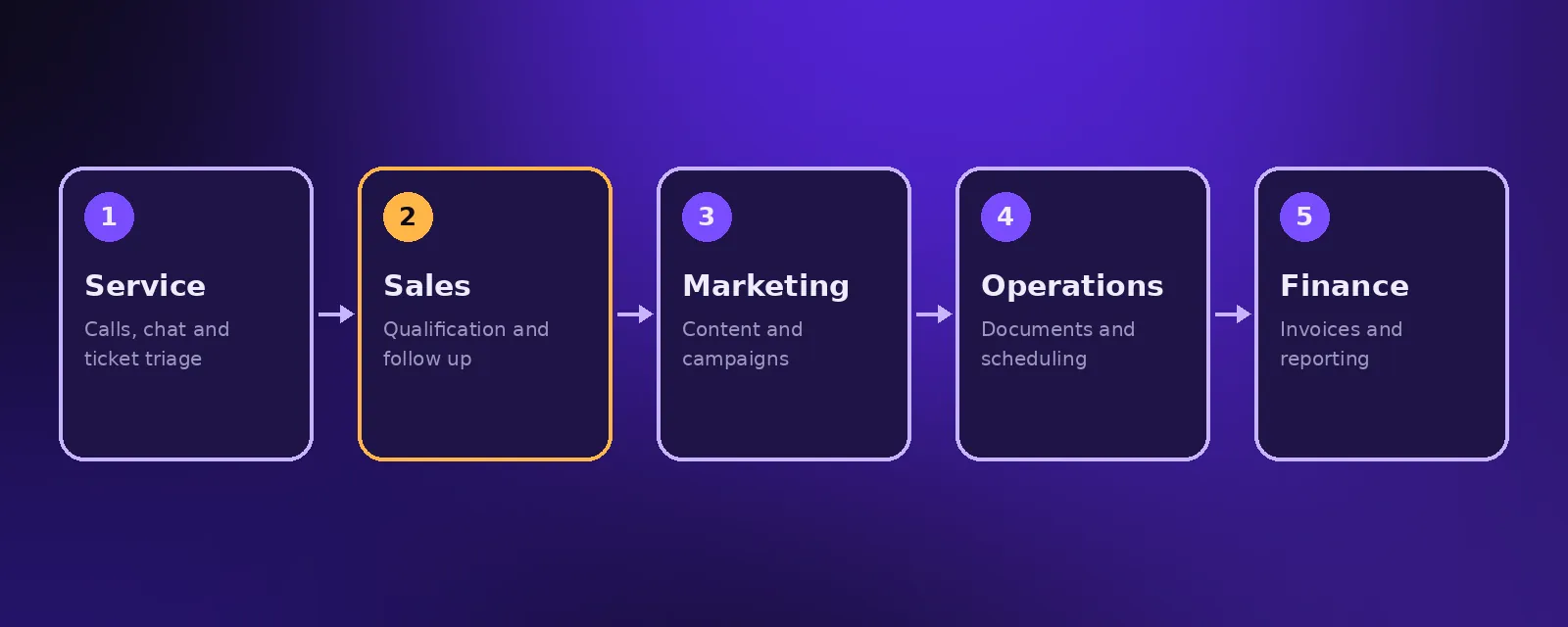
- AI receptionist. Answers every call, books appointments and handles common questions. See AI voice agents.
- Chat and WhatsApp agents. Instant replies across messaging channels. See AI chat agents.
- Ticket triage. Reads, categorises and routes support requests with a summary.
Sales
- Lead qualification. Asks the right questions and scores leads before a salesperson calls. See AI sales agents.
- Personalised outreach. Researches prospects and drafts tailored messages. See AI lead generation.
- Call notes. Transcribes and summarises calls straight into the CRM.
Marketing
- Content drafts. Blog outlines, social posts and ad variations for a person to edit.
- Campaign automation. Segments audiences and personalises emails. See AI marketing automation.
- Review responses. Drafts replies to reviews for approval.
Operations
- Document processing. Reads forms, contracts and invoices and extracts the data.
- Internal knowledge assistant. Answers staff questions from your policies and procedures.
- Scheduling. Matches jobs, staff and availability automatically.
Finance and management
- Invoice and expense processing. Reads receipts and bills and codes them. See finance automation.
- Automated reporting. Weekly summaries of sales, cash and performance.
- Forecasting. Spots trends in sales and demand from your own data.
How to adopt AI in your business
- List the tasks that take the most time or lose the most revenue.
- Pick the one that is frequent and predictable.
- Connect AI to the systems it needs, with clear limits.
- Measure, improve and expand.
For more on choosing assistants, see the best AI assistant for business and the benefits of AI automation.
Frequently asked questions
How is AI used in business?
Businesses use AI to answer customers, qualify and follow up leads, draft content, process documents, automate admin and produce reports.
What is the best way to start using AI in a small business?
Start with one high impact use, such as an AI agent that answers enquiries and books appointments, and measure the result before expanding.
Is AI expensive for businesses?
Not necessarily. Many uses run on low monthly costs. Acceltor AI agent plans start at $299 a month, and automation builds have a fixed quote.
Will AI replace jobs in my business?
In most small businesses AI takes over repetitive tasks, letting the same team handle more customers and focus on higher value work.

Founder and CEO of Acceltor. Talha leads a team of engineers and designers building AI agents, automations, websites and apps for growing businesses.
Meet the team →